
Give your ideas shape. Put them to work.
Practical 3D modeling for independent designers and craftspeople. Draw a shape, extrude it, set exact dimensions, and open the SketchUp files you already have.
Free · Windows 64-bit · Mac with Apple silicon, macOS 15 or later
Try it in your browser, no account or install needed
Most 3D tools make you learn the software first. Modlumi starts with the shape. Draw a rectangle, extrude it, type 1800mm and press Enter. Undo anything.
From outline to client
One piece, four steps.
-
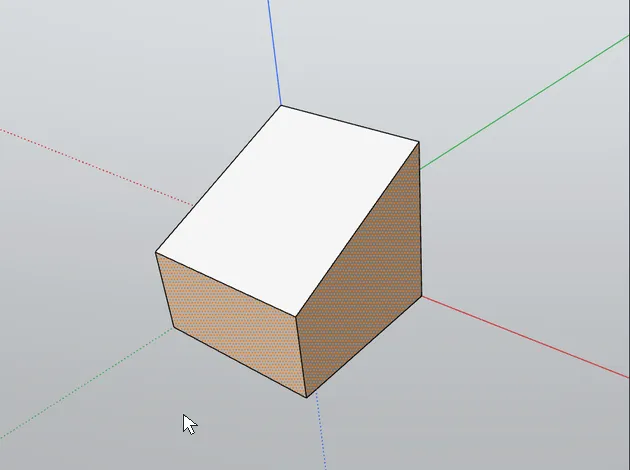 1
Shape it
Extrude · PDraw an outline, press P and click the face, then type 720mm and press Enter. It becomes a solid of exactly that height.
-
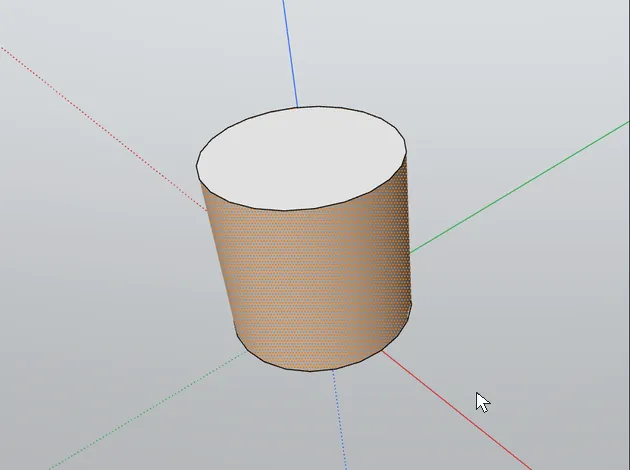 2
Refine the edges
FilletRound, chamfer or soften edges, and keep the result a solid you can go on editing.
-
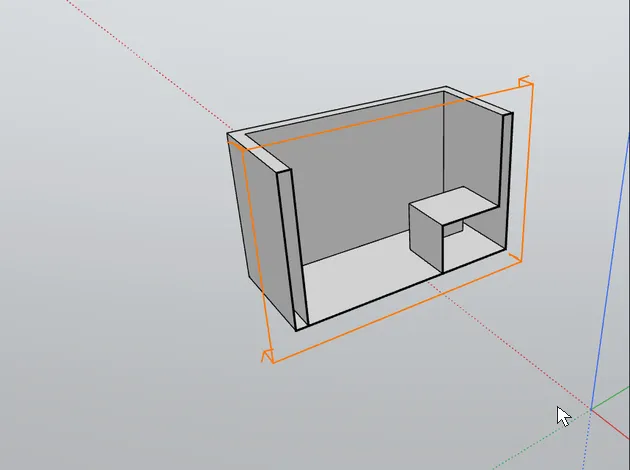 3
Cut it open
Section PlaneCut through a cabinet with a section plane so your client sees the shelves inside.
-
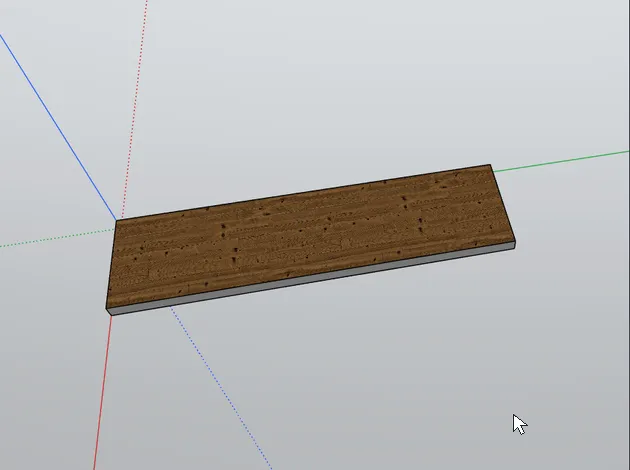 4
Finish it
Paint · BPaint wood, stone and paint finishes, then pin each texture so the grain runs the right way.
Made for independent work
From a rough idea to a model your client understands.
-
Joiners and furniture makers
Work out dimensions before you cut, and show clients exactly what you propose to build.
-
Interior and space designers
Develop alternatives quickly and communicate design decisions clearly.
Works with what you have
Your SketchUp files open as they are.
Open or import your existing .skp models. Files are read on your device; nothing is uploaded.
- Opens
- Modlumi .modl and SketchUp .skp files; imports OBJ and STL
- Exports
- glTF, OBJ, STL, images and animations
- Runs on
- Windows 64-bit, Macs with Apple silicon on macOS 15 or later, and a browser preview
- Undo
- Every change, so you can explore freely
- Plugins
- Twelve built in; install other people's or write your own
- Themes
- Dark, light, or match your system
Plugins and scripts
Twelve plugins built in. Room for your own.
The desktop app comes with twelve plugins, most of them ports of well-known open-source SketchUp extensions. Turn them on or off under Extensions → Manage Extensions, install other people's, or write your own in JavaScript or TypeScript.
// Draws a one-meter square with edges, then fills it.
const model = modlumi.activeModel;
model.operation("Draw outline", () => {
  const [side] = model.entities.addEdges([
    [0, 0, 0], [1, 0, 0], [1, 1, 0], [0, 1, 0], [0, 0, 0],
  ]);
  model.entities.findFaces(side);
});
What's coming
Less busywork. More time for the design.
Modlumi runs on Windows, Mac and in your browser, and plugins already let you add your own tools. Next, we're taking on the repetitive parts of modeling and making it easier to show clients what you'll build.
-
Available now
Tools that fit your trade
Build a cabinet from a few measurements, or add tools made for the way you work. Write plugins and scripts in JavaScript or TypeScript for the desktop app.
Read the plugin guide → -
On the roadmap
An assistant for the tedious parts
Ask for "make the cabinet 20 cm wider" or "try it with three drawers" and let an AI assistant do the edits. You stay in control and can take over at any point.
-
Later
Show clients the finished piece
Materials, textures, and lighting, so clients can see the wood, the finish, and the feel of a space before anything is built.
Subscribe to hear about new features first and help decide what we build next. Get Modlumi news
Available now
Model your next piece in Modlumi.
The Mac version runs on Macs with Apple silicon and macOS 15 or later. On another computer? The browser preview lets you try the modeling tools and open SketchUp files right away. Files stay on your device; nothing is uploaded. The preview doesn't save models yet.
Newsletter
Hear about new releases.
Get an occasional email when a new version of Modlumi is out, with what's new in it.
That didn't work. Check your email address and try again.
We only use your address for Modlumi news.
Get in touch
Questions? Ask us.
Wondering whether Modlumi suits your work, how the browser preview handles your files, or what's coming to the desktop app? Send us a message and we'll reply by email.
That didn't work. Check your email address and message, then try again.
We only use your address to answer your message.